Graphic Designing Course in Ahmedabad with AI in 6 months
Fingertips’ graphic designing course in Ahmedabad is a six-month programme for students, graduates and working professionals, and you don’t need any design background to join. You learn Photoshop, Illustrator, CorelDRAW, Figma, motion design and AI tools like Midjourney and Firefly, build 30+ portfolio projects, and pay the fee only after placement.

No design background needed
30+ real projects for your portfolio
Fingertips certificate when you finish
Your Dream Career Is Just One Step Away


Key Highlights


Graphic Designing Course Curriculum
20 modules in four levels. You start with design basics and the Adobe tools, then bring AI into your everyday work, move on to UI/UX, and finish with motion design and a final agency-style project.
Level 1: Graphic Design and Creative Foundation
- Module 1: Introduction to Design and AI Design
- Module 2: Graphic Design Fundamentals
- Module 3: Typography and Colour Design
- Module 4: Adobe Photoshop
- Module 5: Adobe Illustrator
- Module 6: CorelDRAW and InDesign
Level 2: AI Design and Social Media Execution
- Module 7: Canva and Rapid Design Systems
- Module 8: Generative AI Tools for Designers
- Module 9: Prompt Engineering for Design
- Module 10: Branding and Social Media Design
Level 3: UI/UX and Digital Product Design
- Module 11: UI/UX Fundamentals
- Module 12: Figma for UI Design
- Module 13: Web and App Design
- Module 14: Portfolio Building and Design Platforms
Level 4: Motion Design and AI Filmmaking
- Module 15: Motion and Animation Basics
- Module 16: Adobe After Effects
- Module 17: Adobe Premiere Pro
- Module 18: Cinema 4D (3D Design Basics)
- Module 19: AI Filmmaking (Filmistan)
- Module 20: DesignX AI Studio (Final Project)
Master the Tools
Design and print: Photoshop, Illustrator, InDesign, Canva Pro and CorelDRAW.
UI/UX: Figma and Framer, with Uizard, Whimsical and Galileo AI.
Motion, video and 3D: After Effects, Premiere Pro and Cinema 4D, with Runway ML.
Generative AI: Midjourney, Firefly, Leonardo AI, ChatGPT, ElevenLabs and Microsoft Designer.
Creative helpers: Khroma, Remove.bg, Predis.ai and Notion AI.
Building Your Career Foundation
Topics
- The 7 Cs of Effective Business Communication
- Communication English
- Grammar Mastery: Tenses, Adjectives, and Verbs
- Body Language & Modals
- Ace Your Business Presentations
- Effective Email Writing
- Telephonic Communication and Business Vocab
- Networking and Interpersonal Skills Development
Topics
- Writing Design Case Studies
- Publishing Work on Behance and Dribbble
- Presenting Design Decisions to Clients
- Building Your Personal Brand
- Portfolio Reviews with Mentors
Topics
- HR Interview Preparation
- Mock Interviews with Feedback
- Common Graphic Designer Interview Questions
- Walking Through Your Portfolio
- Professional Emails and Client Calls
Topics
- Photoshop and Illustrator Practical Tests
- Figma Design Tasks
- Timed Design Briefs
- Print-ready File Checks
- Take-home Assignment Practice
Career Opportunities after the Graphic Designing Course
Once your portfolio is ready, you can apply for roles like graphic designer, social media designer, brand designer, motion graphics designer or video editor, or take on freelance work. If screens interest you more than print, our UI/UX design course goes deeper, and designers who want to run campaigns often add the Advanced Digital Marketing Course. What you earn depends on your skills, portfolio and the company that hires you.
Who Can Apply for This Graphic Design Course?
- Students in the final year of graduation or post-graduation.
- Fresh graduates who want a creative career.
- Working professionals in marketing, printing, sales or similar fields who want proper design skills.
You don’t need to know any design software or be good at drawing. A laptop and the habit of practising regularly matter far more.
How Much Does the Graphic Designing Course Cost?
You pay the course fee only after you are placed (Pay After Placement). The amount depends on the salary you get:
- ₹1,50,000 for a 3 to 5 LPA package
- ₹2,00,000 for a package above 5 LPA and up to 7 LPA
- ₹2,25,000 for a package above 7 LPA
All amounts include taxes, and you can split the payment into EMIs of up to 24 months through our NBFC partners.
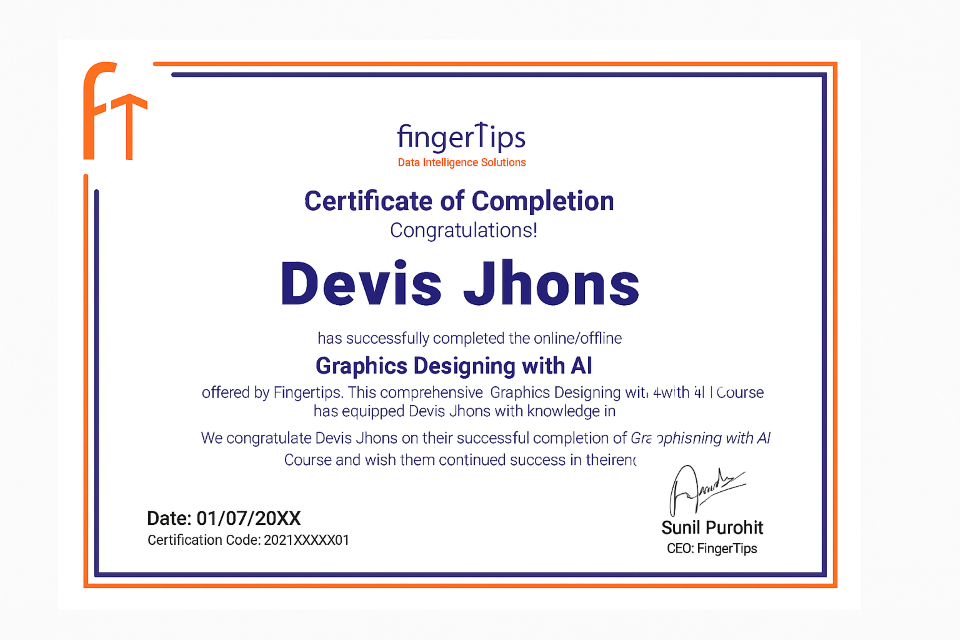
Get Certified with Fingertips
Certificate
Credible
Shareable
Get all your queries answered with these FAQs
Course details last reviewed: October 2026
Book a free career call
Talk 1:1 to our experts — course fit, roadmap & placements.
- 100% free 1:1 counselling
- Personalised career roadmap
- Placement & salary guidance


Request a call back
Drop your details — we'll call you within 24 hours.
Your details are 100% safe. No spam.